AI Alerts & Notifications
Notification Setup - Simplified User Guide
Part 1: Connect Telegram (One-Time Setup)
Open the Telegram app and search for: @donut_radar_dev_bot
Click "Start" button
Return to the web App and Ask Donut AI to generate your login code
Donut AI will provide you a code
Send this command to the Telegram bot: /login [YOUR_CODE_HERE]
Wait for bot response: ✅ Login successful!
Part 2: Create Alerts (Ask Donut AI)
Once Telegram is connected, You can now create alerts:
Create [ASSET] alert when price [CONDITION] [LEVEL]
Example: Create SOL alert when price crosses above $125
Part 3: What Happens Next
You ask Donut AI using the prompt above
Donut AI creates the alert automatically
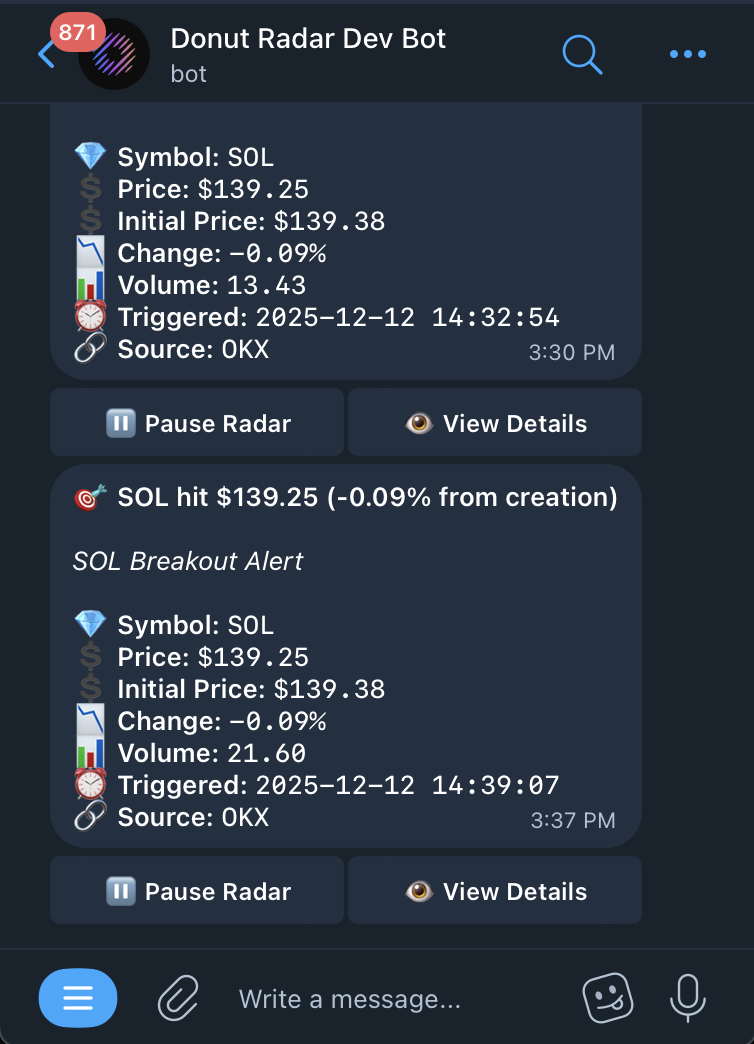
You receive a **test notification in Telegram** to confirm it's working
From then on, you'll get **real-time alerts** whenever your conditions are met
Use Case
1. Trade Alerts
Set alerts for price, volume, indicator triggers etc.
Example: "Alert me when SOL crosses $130 or RSI > 70."
Alerts can be sent via in-app, email, or push.
2. System Notifications
Get notified about:
- Wallet activity (e.g., new approval, token received)
- Protocol upgrades or outages
- AI assistant updates or new features
3. Custom Alert Settings
- Create alert rules based on:
- Price thresholds
- Time-based triggers (e.g., daily close)
- Risk exposure (e.g., portfolio drawdown > 10%)