
Core Features
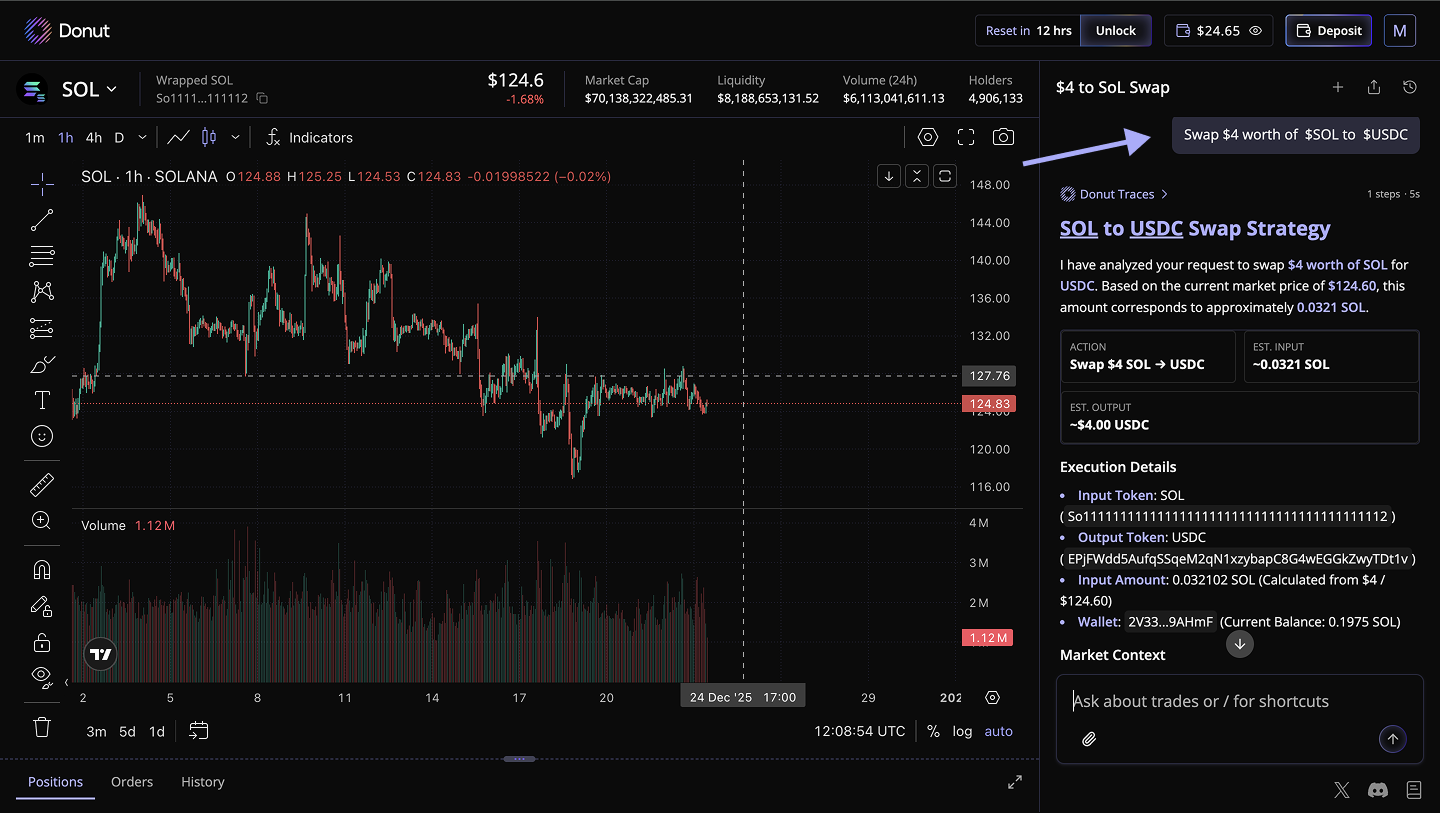
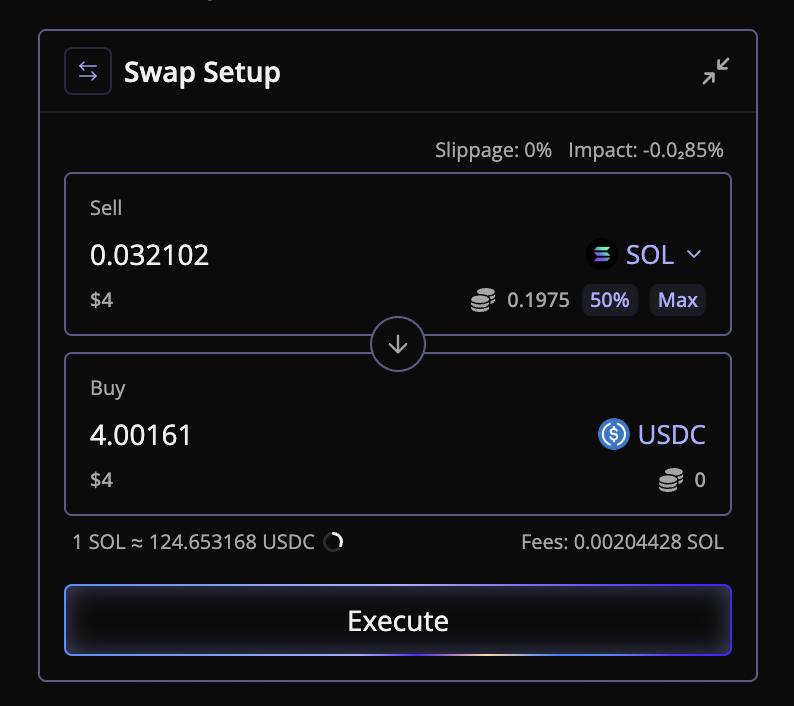
Swap
Instantly swap one token for another, with real-time price quotes and minimal slippage.
Limit Orders
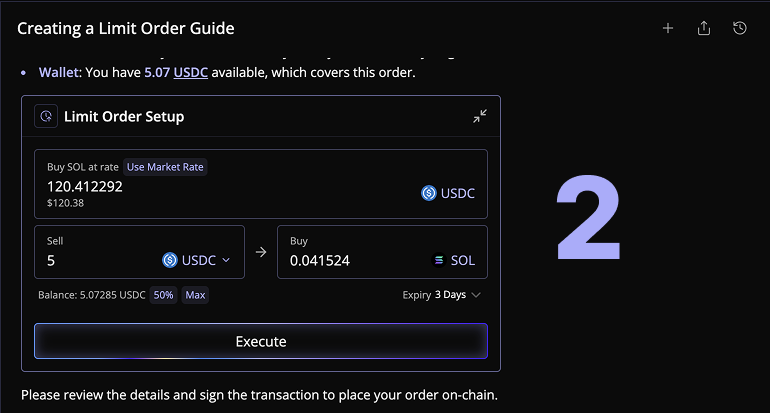
An automated trade that executes automatically when a token reaches a specific price you set. You don't have to watch the chart—Donut executes for you.
.B-X9XxKx.png)
TP / SL (Take Profit & Stop Loss)
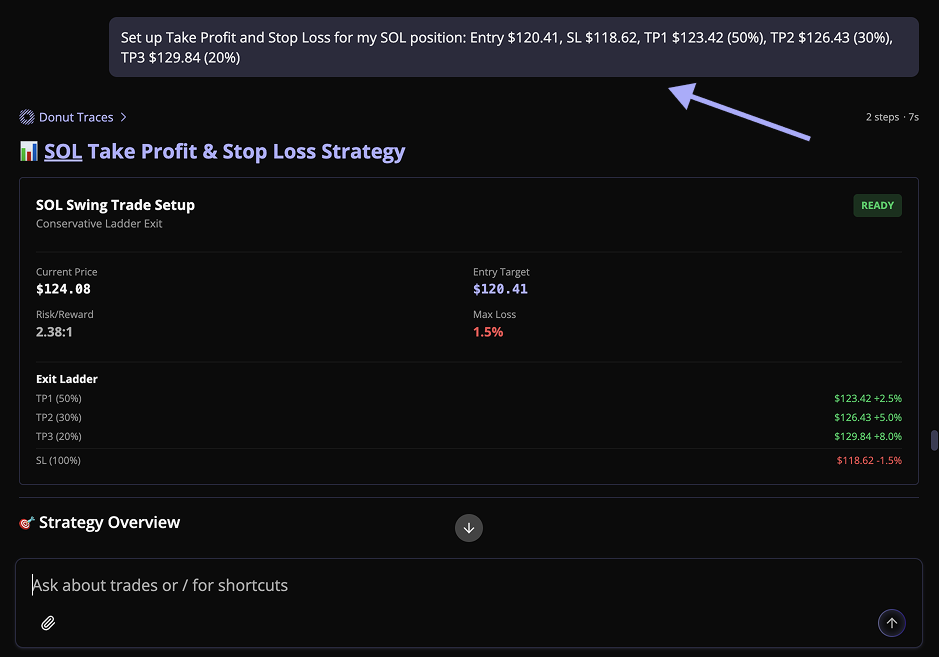
Automated exit tools that protect your profits and limit your losses. Set them once, and Donut closes your position automatically if price moves in your favor (TP) or against you (SL).
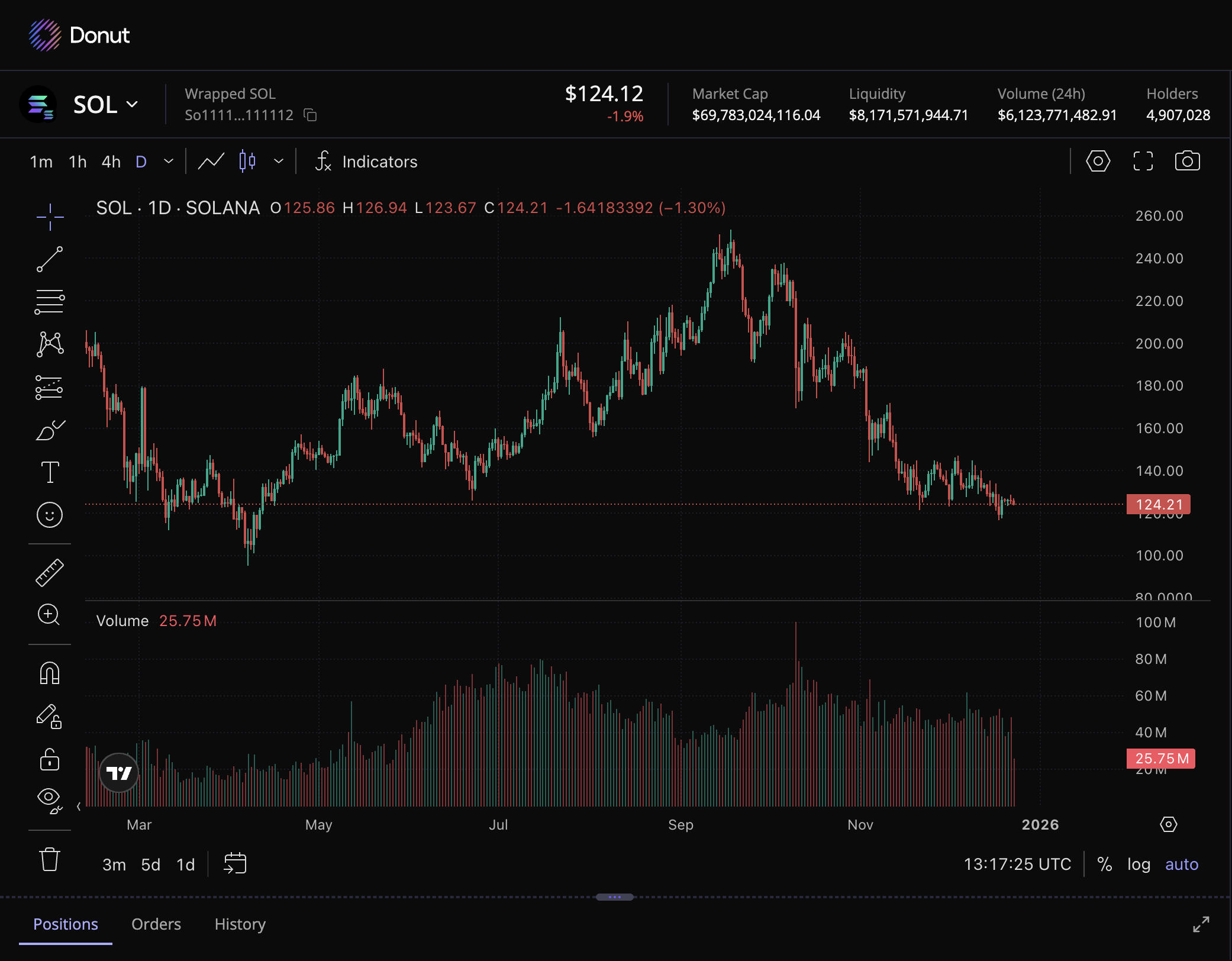
Candlestick Charts
A visual representation of price movement over time. Each "candle" shows the open, high, low, and close price for a specific time period (1 minute, 5 minutes, 1 hour, 1 day, etc.).
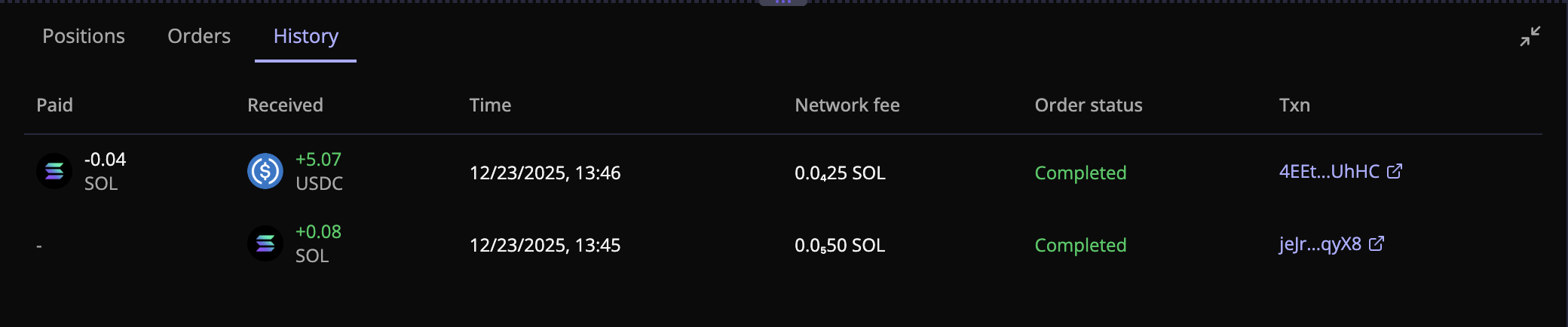
Trade History
A complete log of all your trades, orders, and positions. Track what you bought, sold, when, at what price, and your profit/loss.
What you can see:
| Column | What It Shows | Why It Matters |
| Date/Time | When the trade executed | Track timing patterns |
| Token Pair | What you traded (e.g., SOL/USDC) | Identify your favorite pairs |
| Type | Swap, Limit Order, TP/SL | Understand your strategy mix |
| Entry Price | Price you bought/sold at | Calculate profit/loss |
| Exit Price | Price you closed at | See actual execution price |
| Amount | How many tokens | Track position sizes |
| PnL | Profit or Loss | See what made/lost money |
| Status | Completed, Pending, Cancelled | Know what's still active |
Transaction Fee Details
Understand exactly what you're paying for every transaction. Donut provides a full breakdown of fees before you confirm a trade.
When preparing a trade, click on the Total Fees link in the confirmation window.
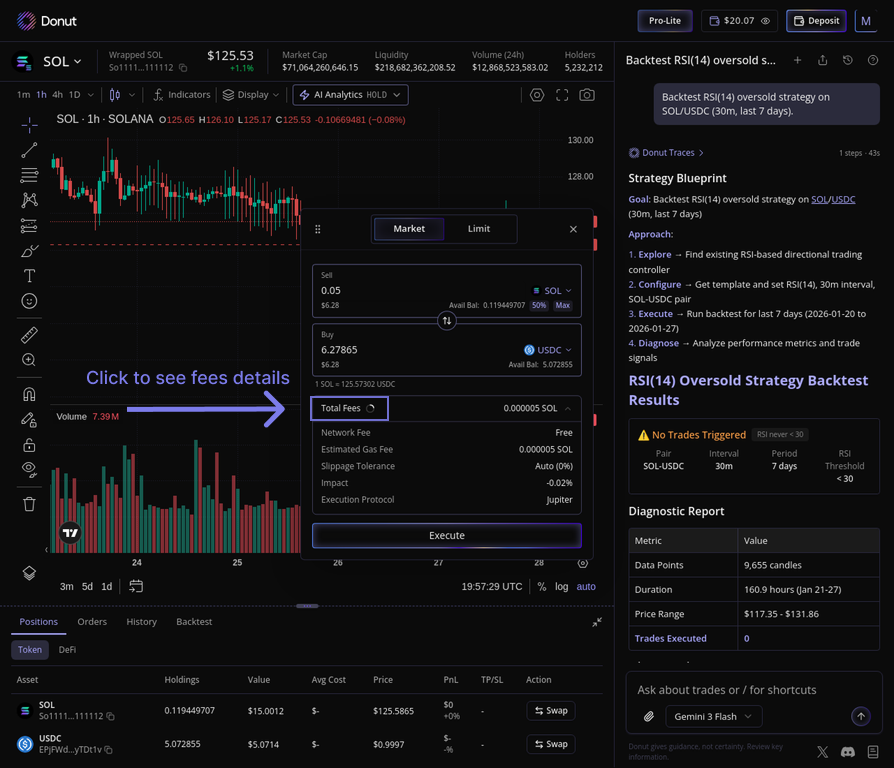
This will open a detailed panel showing all the costs associated with your trade.
The fee breakdown includes:
- Network Fee
- Estimated Gas Fee
- Slippage Tolerance
- Price Impact (if applicable)
- Execution Protocol
This transparency ensures you have a clear understanding of your trading costs before you execute.